gift

Congrats! You've unlocked a limited-time exclusive 50% OFF!

Grab Now
Hy Image
    Home
    Pricing
Hy Image

Create stunning AI-generated images from text prompts or transform existing photos. Fast, easy, professional quality.

HyImage is an independent platform and is not affiliated with, endorsed by, or officially connected to Tencent or the Hunyuan Image project. Hunyuan Image 3.0 is an open-source model developed by Tencent and is used under its open-source license. All trademarks belong to their respective owners.

Product
HomeMy CreationsPricing
Legal
Privacy PolicyTerms of Service
🇺🇸 English🇪🇸 Español🇵🇹 Português🇭🇰 繁體中文🇩🇪 Deutsch🇮🇹 Italiano🇯🇵 日本語🇵🇱 Polski🇳🇱 Nederlands🇰🇷 한국어
© 2024 Hy Image, All rights reserved
Privacy PolicyTerms of Service
2026🚀 Try Hunyuan Image 3.0 Free

Hunyuan Image 3.0

Describe what you imagine or upload a photo — Hunyuan Image 3.0 turns your ideas into stunning, detail-rich images in seconds. The world's largest open-source image model with unmatched text rendering and multi-language support.

Try Hunyuan Image 3.0
See Hunyuan Image 3.0 Examples

🎨 Start creating with Hunyuan Image 3.0 today

Powered by Tencent Hunyuan Image 3.0

useruseruseruseruser
LIVE
5.0

from 0+ happy users

Active now
Verified

Hunyuan Image 3.0 Creation Studio

Turn text into art or transform your photos — powered by the world's largest open-source image model

Compare

Hunyuan Image 3.0

High-quality AI image generation

Reference Images

0/3000

The more specific your description, the better the result

Credit Cost10credits
POWERED BY HUNYUAN IMAGE 3.0
Creative Double Exposure

Creative Double Exposure

Hunyuan Image 3.0 intelligently blends multiple visual elements — portraits with clouds, landscapes, abstract textures — into stunning surreal composites.

Incredible Scene Detail

Incredible Scene Detail

Every tiny element — from castle towers to flowing waterfalls — is rendered with remarkable precision and depth by Hunyuan Image 3.0.

Photorealistic Portraits

Photorealistic Portraits

Generate lifelike portraits with natural skin texture, delicate fabric detail, and professional studio-quality lighting.

Diverse Art Styles

Diverse Art Styles

From anime illustration to oil painting, watercolor to 3D render — Hunyuan Image 3.0 masters every artistic style.

Hunyuan Image 3.0 Showcase

See what Hunyuan Image 3.0 can create — from photorealistic portraits to surreal composites. Browse, get inspired, and try it yourself.

A natural mirror selfie portrait of a girl in casual gray top and jeans, warm indoor lighting with soft tones

Hunyuan Image 3.0

A woman in embroidered white dress holding a black wolf in an icy blue cave, ethereal fantasy atmosphere

Hunyuan Image 3.0

An ethereal woman figure formed from flowing cosmic clouds and golden stardust against a deep space backdrop

Hunyuan Image 3.0

A blonde anime character in sleek black and white cyberpunk tactical outfit, stylized digital illustration

Hunyuan Image 3.0

A fierce rabbit warrior in Native American headdress holding a spear, epic fantasy digital art with dramatic lighting

Hunyuan Image 3.0

A creative portrait of a woman in a bathtub filled with vibrant citrus slices — oranges, grapefruits, and lemons

Hunyuan Image 3.0

An elegant elf queen with silver hair and golden tiara bathed in warm sunlight filtering through an ancient forest

Hunyuan Image 3.0

A stylish couple sharing an umbrella on a rainy park bench, cinematic photography with soft bokeh background

Hunyuan Image 3.0

A hyper-detailed macro shot of a human eye reflecting a futuristic space station and crescent moon

Hunyuan Image 3.0

A striking anime-style character with purple hair reaching forward among autumn leaves, dynamic action pose

Hunyuan Image 3.0

A bald tribal woman with silver face tattoos draped in an orange shawl, textured oil painting style with rich colors

Hunyuan Image 3.0

A whimsical ghost character wearing a fitted white bridal dress with adorable button eyes and rosy cheeks

Hunyuan Image 3.0

A radiant portrait of a woman in a jeweled gown with flowing blonde hair, golden hour backlight photography

Hunyuan Image 3.0

A dreamy close-up portrait of a girl with pastel pink hair and sparkling glitter on her skin, soft iridescent lighting

Hunyuan Image 3.0

A girl standing in front of a gothic cathedral during a snowstorm at night, cinematic dark blue tones

Hunyuan Image 3.0

A stunning white radish carved into a detailed knight warrior figure floating among clouds, surreal food art

Hunyuan Image 3.0

A confident woman walking down a palm-lined street at sunset, fashion photography with warm golden tones

Hunyuan Image 3.0

A well-dressed couple sitting on a park bench sharing an umbrella in the rain, romantic cinematic photography

Hunyuan Image 3.0

What You Can Create with Hunyuan Image 3.0

From product photos to poster design — see how Hunyuan Image 3.0 fits into your creative workflow.

E-commerce Product Photography

Level up your product listings with scroll-stopping visuals that sell! Just describe the scene you want — studio backdrop, outdoor lifestyle, or minimalist flat lay — and Hunyuan Image 3.0 generates campaign-ready product shots with true-to-life detail. Skip the photoshoot and go from idea to listing in under 30 seconds.

Create Product Shots

Poster & Marketing Design

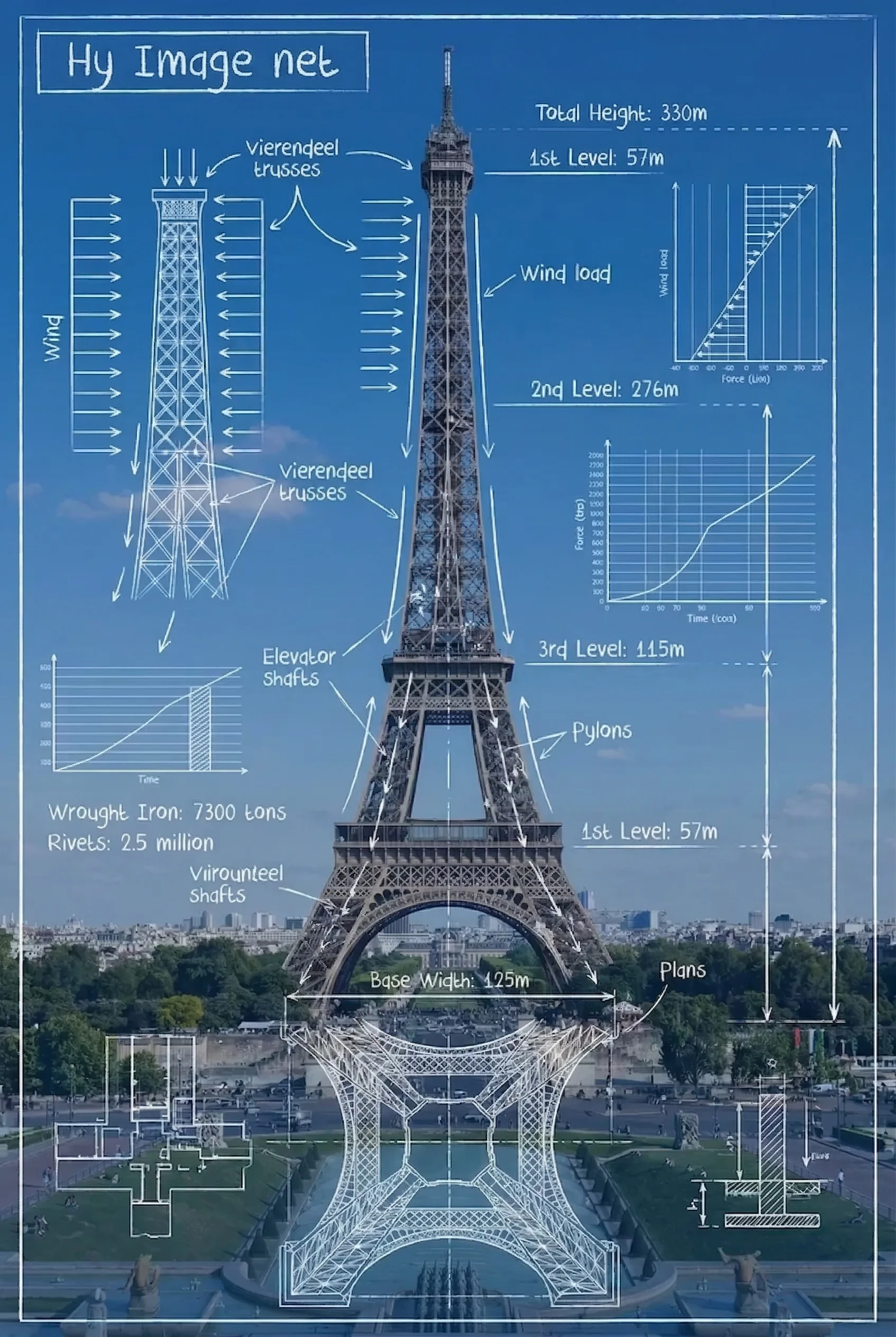
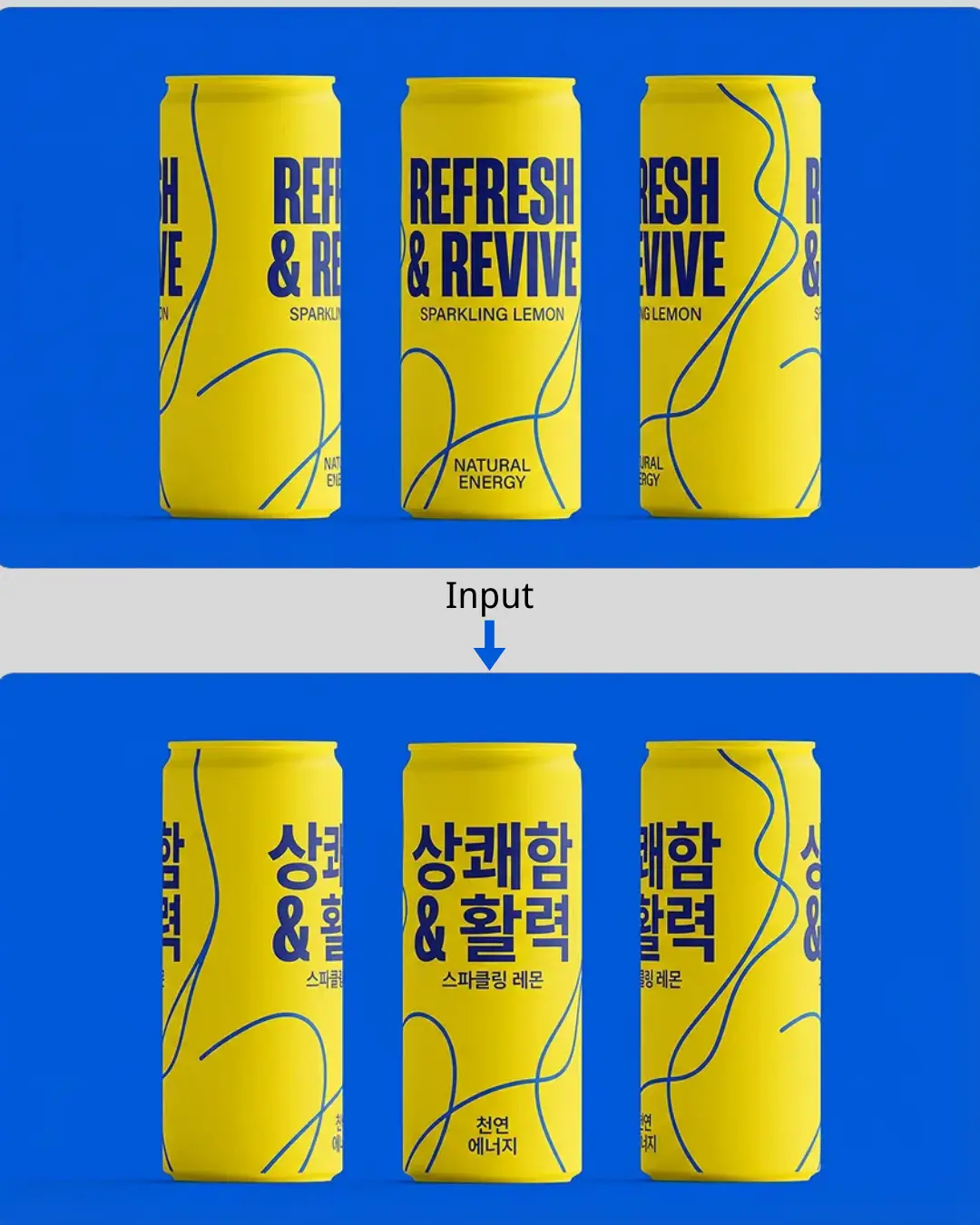
Design bold, attention-grabbing posters without touching Photoshop! Hunyuan Image 3.0 renders crisp, readable text directly inside your image — English, Chinese, or both — so your headlines, slogans, and CTAs look print-ready from the start. One prompt, one image, zero post-editing.

Design a Poster

Creative Image Editing

Give any photo a total makeover with just a sentence! Upload your image and tell Hunyuan Image 3.0 what to change — swap the background, shift the art style, or refine small details. The AI understands your intent and blends edits naturally, keeping the original composition intact. Professional retouching in seconds, not hours.

Edit Your Photo

AI-Powered Image Editing with Hunyuan Image 3.0

Skip Photoshop entirely — describe your edits in plain words and let Hunyuan Image 3.0 handle the rest.

AI

Background Replacement

Drop your photo in, describe the new scene, and watch the background change instantly! From city skylines to sandy beaches — AI matches lighting and perspective automatically.

AI IMAGE ENGINE

What is Hunyuan Image 3.0

80 billion parameters. Native multimodal architecture. Hunyuan Image 3.0 doesn't just generate images from text — it understands them. Upload a photo, describe your edit, and watch AI handle the rest in under 30 seconds. No Photoshop skills, no design background, no learning curve.

  • Two Modes, Zero Limits

    Type a prompt — get a stunning image in seconds. Or upload your photo and tell AI what to change. Text-to-Image for creating from scratch, Image Edit for perfecting what you have. Two clicks, two modes, infinite possibilities.

  • Studio-Grade Output

    Every pixel looks intentional. Hunyuan Image 3.0 nails natural lighting, skin textures, fabric details — even readable text inside images. Ranked #1 on LMArena's global blind test for a reason.

  • Edit with Words, Not Tools

    Forget layers, masks, and selection tools. Just say 'remove the background,' 'make it sunset,' or 'change her dress to blue' — AI gets it right the first time. Style transfer, object swap, background replace — all in plain English.

Photoshop vs Hunyuan Image 3.0

Photoshop takes months to learn. Hunyuan Image 3.0 takes 30 seconds to deliver. Here's exactly how they compare — feature by feature.

Feature Dimension
Photoshop(Traditional Editor)
Hunyuan Image 3.0(AI-Native Model)
Core TechnologyManual pixel editing — powerful but steep learning curve. Expect months of practice before you're productive.
Type what you want, get what you see. AI-native generation turns plain English into professional visuals — zero design skills needed.
Text-to-Image GenerationNot built in. You'll need third-party plugins or start from a blank canvas every time.
Built-in text-to-image in seconds. Describe it, generate it, done. Photorealistic quality with natural lighting out of the box.
Image Editing ApproachLayers, masks, blend modes — months of tutorials before your first clean edit.
Just say 'remove the background' or 'make it golden hour.' AI understands context and applies changes naturally.
Text Rendering in ImagesFull typographic control, but manual placement eats hours on complex layouts.
AI renders readable text inside images — multilingual, naturally integrated, no manual positioning required.
Multi-Image Reference & FusionManual compositing across layers. Requires advanced technique and serious time investment.
Feed multiple reference photos, get cohesive results. Style transfer, concept blending, visual fusion — all automatic.
Speed & WorkflowHours for complex edits, minutes for simple ones. Every iteration is manual.
10–30 seconds per image. Describe → generate → refine. Queue multiple requests without waiting.
Cost$22.99/mo for Photography plan alone — plus plugins, stock images, and training courses on top.
From $9.90/mo with free trial. Every feature unlocked from day one — no surprise charges, no add-ons.
Recommended Use CasesProfessional retouching, print-ready layouts, complex compositing, precision color grading.
Social media, marketing, e-commerce, brand assets, rapid prototyping — anything visual, in seconds.

Core Technology

Photoshop

Manual pixel editing — powerful but steep learning curve. Expect months of practice before you're productive.

Hunyuan Image 3.0

Type what you want, get what you see. AI-native generation turns plain English into professional visuals — zero design skills needed.

Text-to-Image Generation

Photoshop

Not built in. You'll need third-party plugins or start from a blank canvas every time.

Hunyuan Image 3.0

Built-in text-to-image in seconds. Describe it, generate it, done. Photorealistic quality with natural lighting out of the box.

Image Editing Approach

Photoshop

Layers, masks, blend modes — months of tutorials before your first clean edit.

Hunyuan Image 3.0

Just say 'remove the background' or 'make it golden hour.' AI understands context and applies changes naturally.

Text Rendering in Images

Photoshop

Full typographic control, but manual placement eats hours on complex layouts.

Hunyuan Image 3.0

AI renders readable text inside images — multilingual, naturally integrated, no manual positioning required.

Multi-Image Reference & Fusion

Photoshop

Manual compositing across layers. Requires advanced technique and serious time investment.

Hunyuan Image 3.0

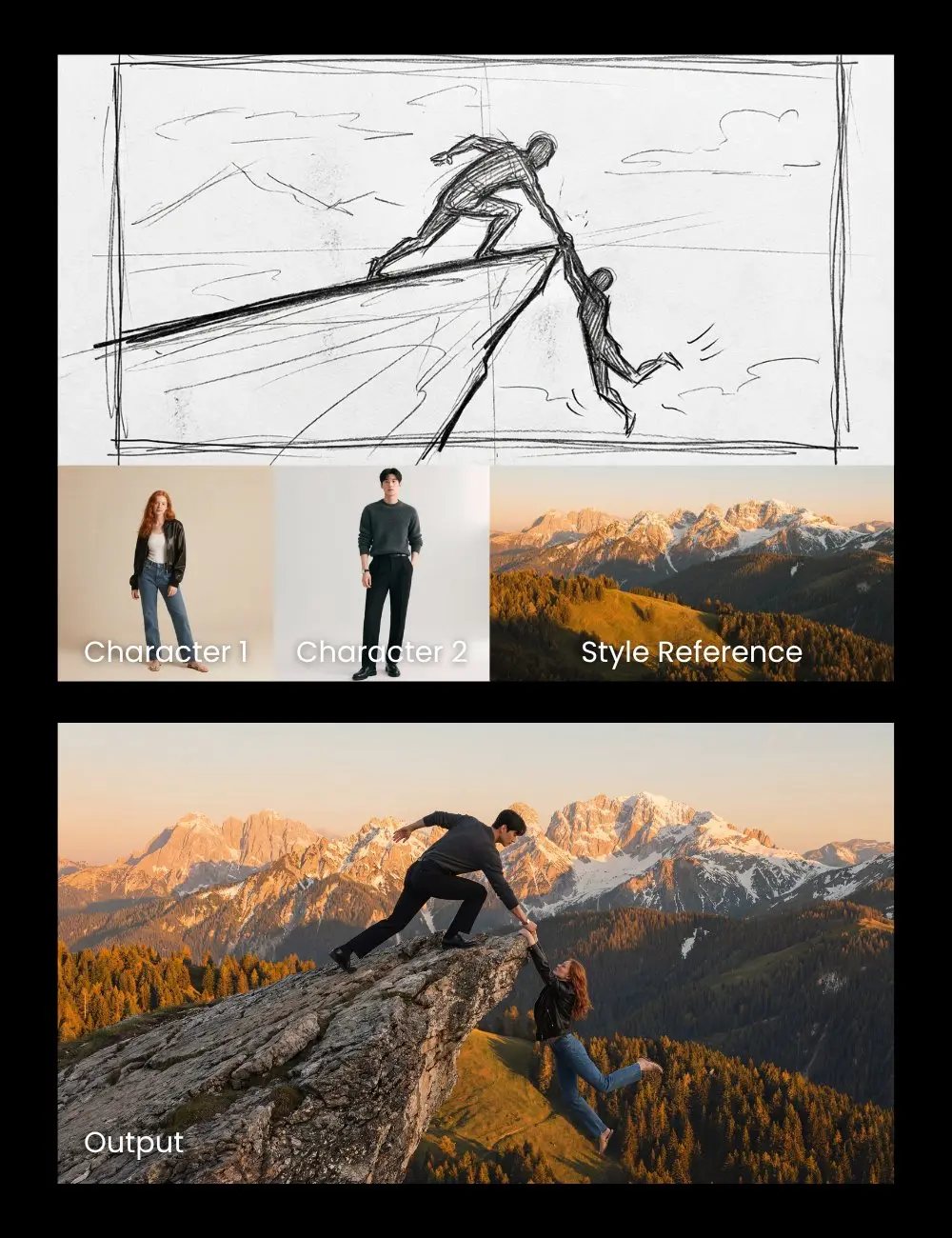
Feed multiple reference photos, get cohesive results. Style transfer, concept blending, visual fusion — all automatic.

Speed & Workflow

Photoshop

Hours for complex edits, minutes for simple ones. Every iteration is manual.

Hunyuan Image 3.0

10–30 seconds per image. Describe → generate → refine. Queue multiple requests without waiting.

Cost

Photoshop

$22.99/mo for Photography plan alone — plus plugins, stock images, and training courses on top.

Hunyuan Image 3.0

From $9.90/mo with free trial. Every feature unlocked from day one — no surprise charges, no add-ons.

Recommended Use Cases

Photoshop

Professional retouching, print-ready layouts, complex compositing, precision color grading.

Hunyuan Image 3.0

Social media, marketing, e-commerce, brand assets, rapid prototyping — anything visual, in seconds.

Photoshop - Best For

You need Photoshop if you do pixel-perfect retouching, complex compositing, or print-ready production work — and you've already invested the time to learn it.

Hunyuan Image 3.0 - Best For

You need Hunyuan Image 3.0 if you want stunning visuals in seconds — no design skills, no learning curve. Perfect for social media, marketing, e-commerce, and anyone who values speed over manual control.

Try Now
CORE STRENGTHS

Why Choose Hunyuan Image 3.0

80 billion parameters trained on multimodal data. LMArena's #1 ranked image model. Here's what that actually means for your work.

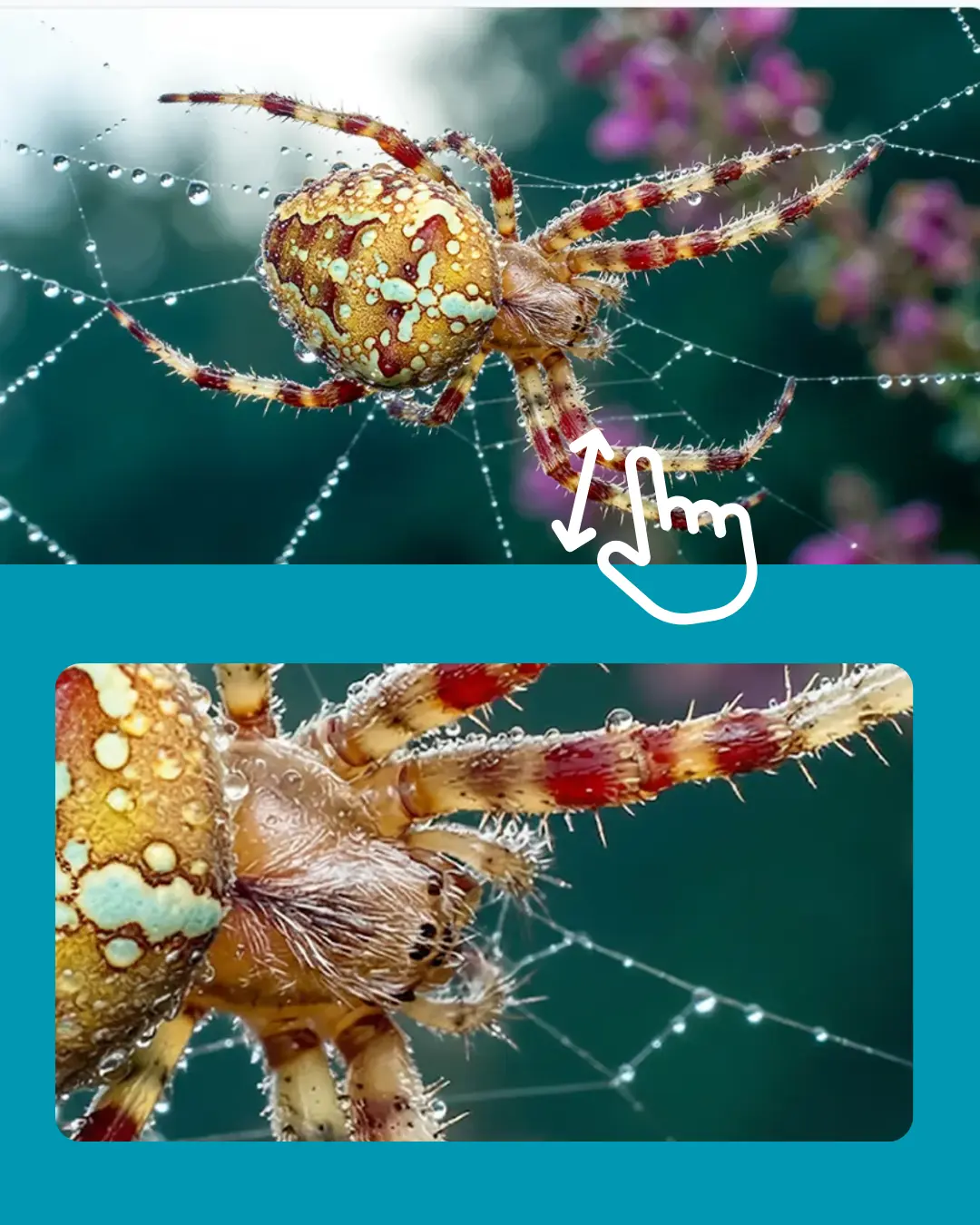
Skin pores, fabric threads, water droplets — Hunyuan Image 3.0 renders details most AI models miss entirely. Natural lighting, accurate shadows, true-to-life colors. Every image looks like it came from a professional camera, not a prompt.

Upload a face, keep it consistent across 10 different scenes. Change the outfit, swap the background, shift the lighting — the face stays yours. Character consistency that actually works, powered by native multimodal understanding.

Feed a reference photo for the style, type a prompt for the scene — Hunyuan Image 3.0 merges both into something new. Watercolor, oil painting, anime, cinematic — any aesthetic, applied instantly without losing detail.

1 / 3

How to Create with Hunyuan Image 3.0

From text prompt to finished image — get started with Hunyuan Image 3.0 in just four steps.

Step 1
KEY CAPABILITIES

Core Capabilities of Hunyuan Image 3.0

An 80-billion-parameter model ranked #1 on LMArena — here's what it actually does.

Photorealistic Generation

Hunyuan Image 3.0 produces lifelike images with stunning detail, natural lighting, and professional-grade texture rendering.

01

Interactive Speed

From prompt to finished image in 10–30 seconds. Hunyuan Image 3.0 keeps up with your creative pace — generate, review, and refine without waiting.

02

Text-Based Editing

Tell Hunyuan Image 3.0 what to change in plain English. No layers, no masks, no learning curve — just describe it and the AI handles the rest.

03

Multi-Style Mastery

Hunyuan Image 3.0 handles oil painting, anime, watercolor, 3D rendering, and any visual style with a single prompt.

04

Smart Composition

Hunyuan Image 3.0 understands layout, perspective, and visual balance to create harmonious compositions automatically.

05

Consistent Quality

Run five rounds of edits on the same image — colors stay accurate, details stay sharp, quality never drops. Hunyuan Image 3.0 delivers consistent output every single time.

06

Simple, transparent pricing

Start with 10 free credits. Upgrade when you need more. Cancel anytime.

• Cancel anytime

Basic

$9.90$7.99/ mo
$95.90/ Year
🔥Save 50%

What's included

  • 500 credits per month
  • 50 high-quality images per month
  • Up to 5 reference images
  • Standard speed
  • Basic support
  • No watermark
Most Popular

Pro

$29.90$14.95/ mo
$179.40/ Year
🔥Save 50%

Everything in Basic

  • 2,000 credits per month
  • 200 high-quality images per month
  • Up to 14 reference images
  • High speed
  • Priority support
  • No watermark
  • Commercial use

Max

$79.90$39.95/ mo
$479.40/ Year
🔥Save 50%

What's included

  • 6,000 credits per month
  • 600 high-quality images per month
  • Up to 14 reference images
  • High speed
  • Priority support
  • No watermark
  • Commercial use

To cancel your subscription, contact support at: support@hyimage.net

FAQ

Frequently Asked Questions About Hunyuan Image 3.0

Got questions about Hunyuan Image 3.0? Find answers below or reach out to our support team.

01

What is Hunyuan Image 3.0?

Hunyuan Image 3.0 is an 80-billion parameter native multimodal AI model from Tencent. Hy Image brings this model to your browser — type a prompt to generate images from scratch, or upload a photo and describe changes to edit it with AI. No design skills required.

02

What makes Hunyuan Image 3.0 different from other AI models?

Unlike traditional text-to-image models, Hunyuan Image 3.0 unifies text understanding and image generation in one architecture. It supports 1,000+ character prompts, renders readable text inside images, and uses world knowledge to fill in details you didn't specify — ranked #1 on LMArena's global blind test.

03

What can I create with Hunyuan Image 3.0?

Anything visual — product mockups, concept art, social media graphics, photo restorations, style transfers, and more. The Text to Image mode generates from scratch, while Image Edit lets you modify specific elements, swap backgrounds, or change styles with a simple description.

04

How fast is Hunyuan Image 3.0?

Most images are ready in 10–30 seconds. Paid plans unlock high-speed generation for even faster results. The async architecture means you can queue multiple requests without waiting.

05

How does pricing and credits work?

Sign up and get 10 free credits (1 image = 10 credits). Subscription plans start at $9.90/month with 500 credits. Unused credits don't roll over, but you can cancel anytime with no penalties.

06

Can I use Hunyuan Image 3.0 images commercially?

Yes — Pro and Max plan users have full commercial usage rights. Use your images in websites, ads, social media, client deliverables, and print materials without additional licensing fees.

Have more questions?Contact our support team →

Start Creating with Hunyuan Image 3.0

Turn your ideas into stunning visuals in seconds. Powered by the world's #1 open-source AI image model.

Try Hunyuan Image 3.0 Now
View Pricing